


The Patients module is your central record of everyone your clinic sees. From here you register new patients, search existing ones, and open a complete history of their visits, prescriptions, bills, and documents.
Registering a patient
You can register a patient from the Patients module, or on the fly while creating a consultation or appointment.
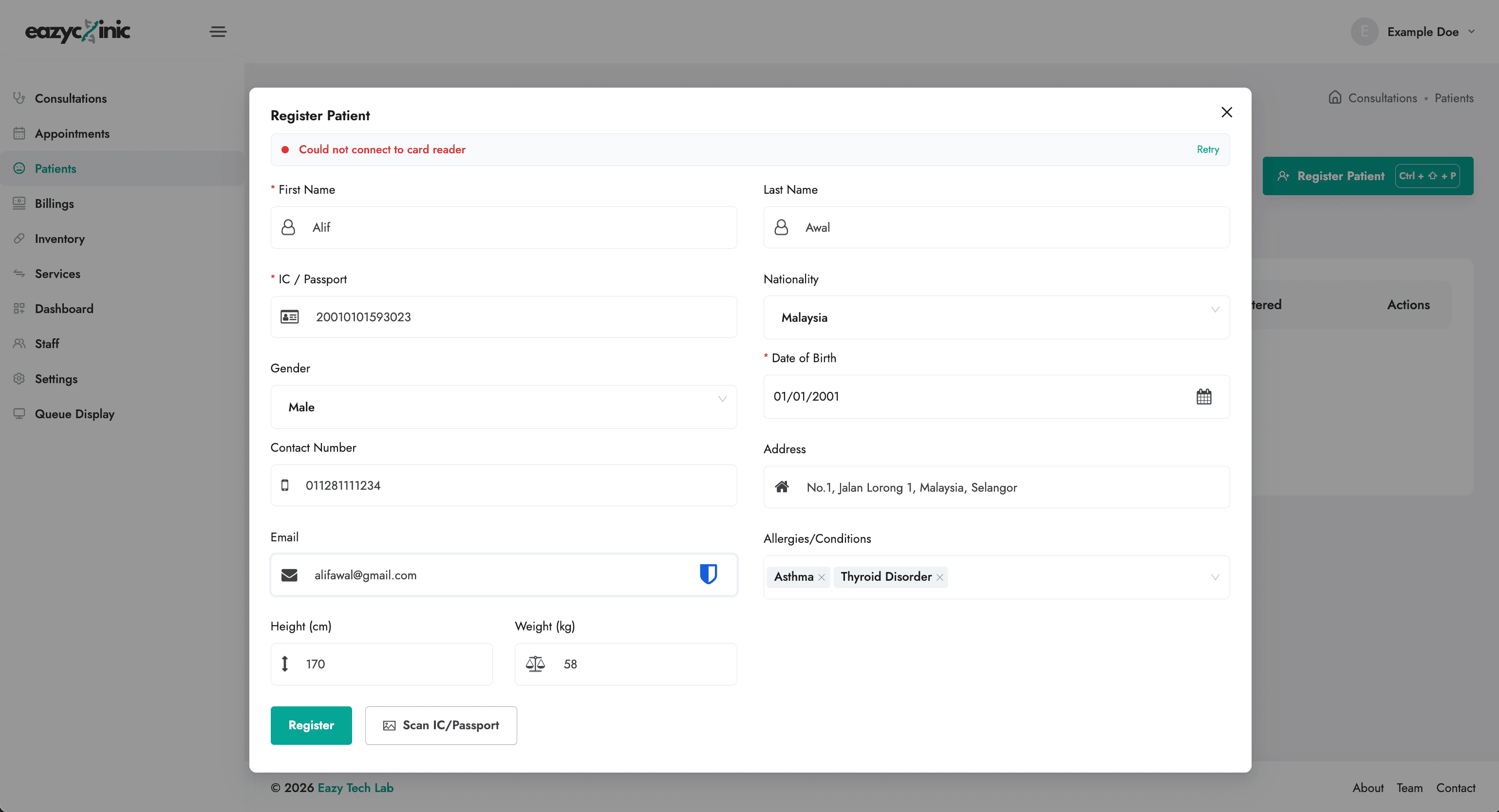
Fill in the registration form:
| Field | Notes |
|---|---|
| First name / Last name | The patient's name. |
| IC / Passport | The patient's identity number. Used to detect duplicates. |
| Gender | Required. |
| Date of birth | Required. |
| Contact number | For reminders and confirmations. |
| For confirmations and receipts. | |
| Nationality | Choose from the country list. |
| Height (cm) / Weight (kg) | Optional clinical details. |
| Address | House number, street, postcode, and state. |
| Allergies / Conditions | Important safety information shown during consultations. |
Click Register to save. If a patient already exists with the same IC or passport number, EazyClinic warns you instead of creating a duplicate — search for the existing record instead.
Scan an IC or passport (automatic capture)
To save typing, click Scan IC / Passport and capture an image of the patient's document. EazyClinic reads the document and fills in details such as name, date of birth, gender, ID number, and nationality automatically. Review the captured details for accuracy, then complete any remaining fields and save.
Finding a patient
The Patients list has one search bar ("Search patient by name, IC or phone"). Press / to jump into it, then just type — you don't need to say what you're searching by:
- An IC number (with or without dashes, e.g.
900101-14-5678) or a passport number (letters and digits, e.g.A12345678) searches by IC / passport. - A phone number (e.g.
012-345 6789, or with+60) searches by phone. Dashes, spaces, and the+60country code are handled for you. - A word searches by name.
A small tag in the search bar shows which field EazyClinic picked. If it guessed wrong, click the tag to switch between name, IC, and phone — the search runs again straight away. You can also pin the field by typing a prefix, such as ic: 900101, phone: 0123, or name: Ali.
Name search matches the patient's first name only — a surname on its own won't find them, so search by IC or phone if you only know the surname.
Each row has a New Consult button to start a consultation for that patient straight away, and a ⋯ menu with View Patient Details, Book Appointment, and Delete Patient. Click a row to open the patient's profile.
The patient record
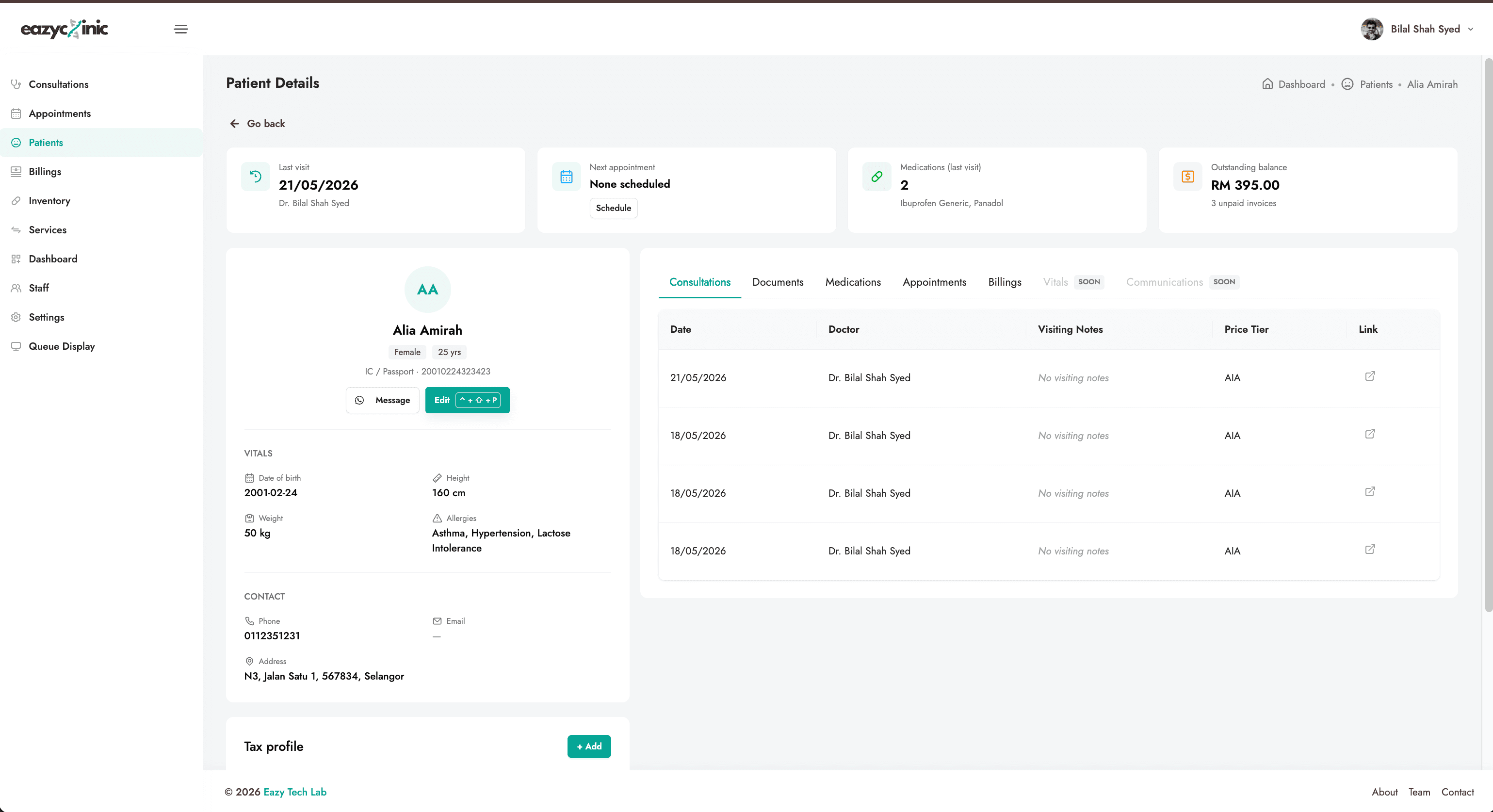
A patient's profile brings their whole history together in one place:
- Overview — key details and contact information (shown alongside the tabs).
- Consultations — every past visit.
- Documents — medical certificates, letters, and other generated or uploaded documents, grouped by visit.
- Medications — medication history.
- Appointments — past and upcoming appointments and their status.
- Billings — past bills and their payment status.
Vitals and Communications tabs are marked Soon — they're coming in a later update.
From the record you can edit the patient's details or delete the record if needed.
Tax profiles (for e-invoicing)
If you issue LHDN e-invoices to a patient (or to the company or insurer paying on their behalf), you can store one or more tax profiles on the patient record. A tax profile holds the buyer's billing details so they're ready to attach when you submit an e-invoice.
See the E-Invoicing guide for how these are used.
Related guides
- Consultations — seeing the patient.
- Appointments — booking the patient in advance.
- Billing & Payments — charging the patient.
- E-Invoicing (LHDN) — issuing compliant e-invoices.
