


EazyClinic’s inventory module tracks medications and consumables in real time: every item dispensed during a consultation is deducted from stock automatically, low-stock alerts arrive before you run out, and your existing Excel stock list can be bulk-uploaded in one step. Fully self-managed — add, edit, and adjust items without contacting support.
Stock That Updates Itself
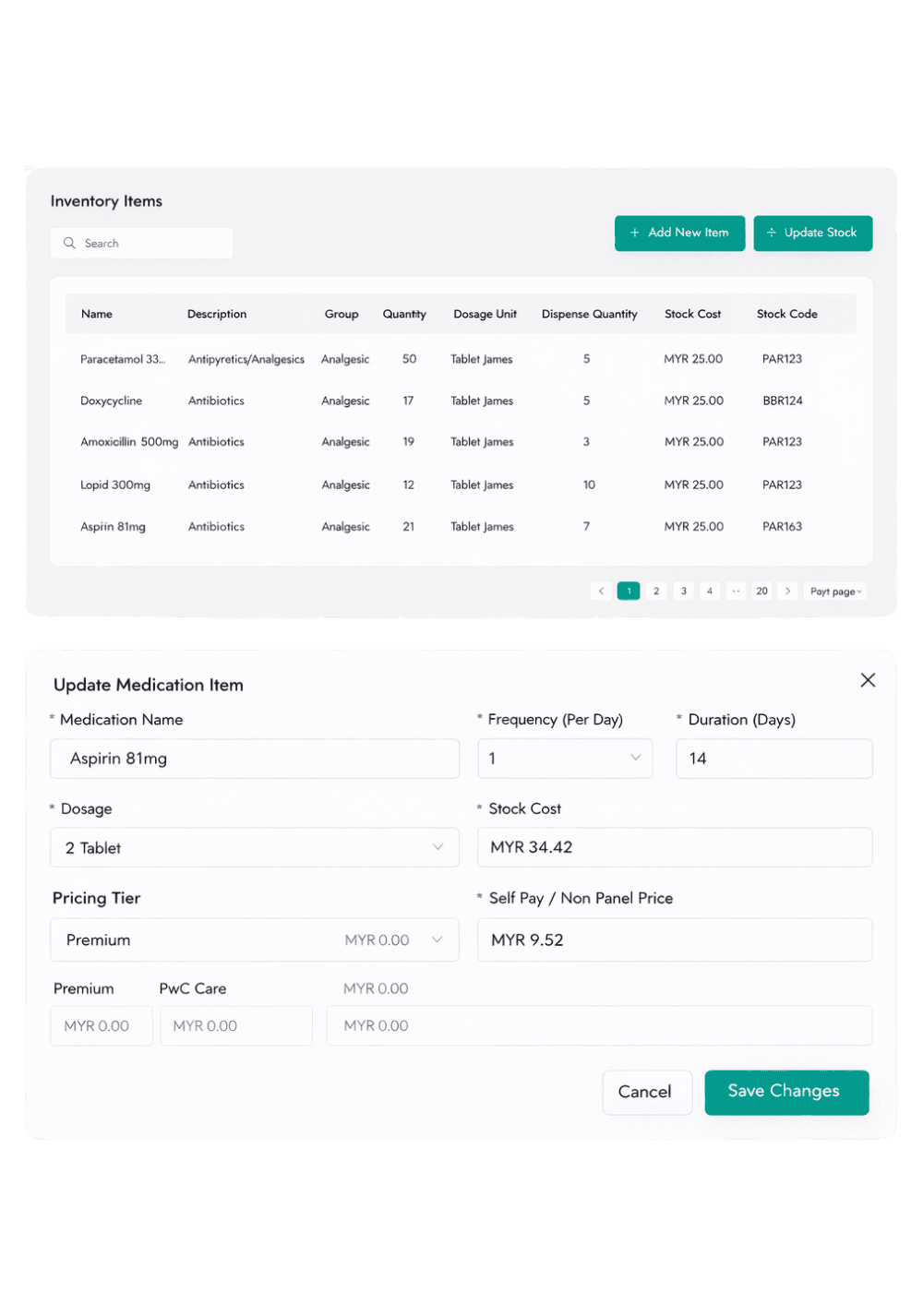
Dispensing during consultation deducts from inventory automatically. No end-of-day reconciliation, no spreadsheet updates, no surprises.
- Real-time deduction at dispensing.
- Low-stock alerts before you run out.
- Track medications and consumables.
- Expiry tracking prevents wasted stock.
Migrate from Excel in One Upload
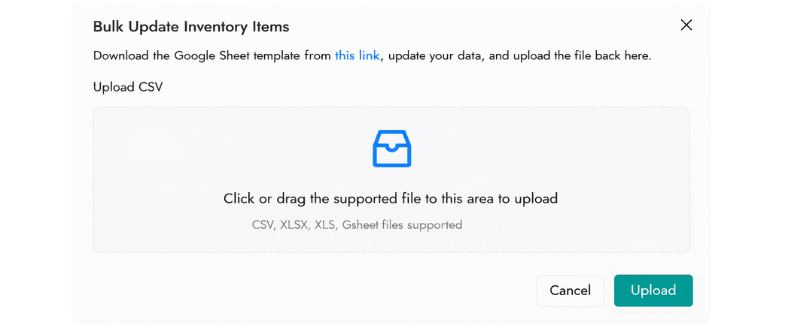
Your existing stock spreadsheet becomes your starting inventory with a one-time bulk upload. From then on, individual items are added or edited in seconds.
- Bulk upload via spreadsheet.
- Individual item add/edit.
- Self-managed — no vendor dependency.
- Per-tier pricing links to billing.

Frequently Asked Questions
Can I import my existing Excel stock list?
Yes. A one-time bulk upload brings your existing spreadsheet into EazyClinic as your starting inventory. Real-time deduction begins from the first dispensed medication.
Does inventory link to billing?
Yes. Dispensed items flow into the patient’s invoice automatically, priced according to the patient’s pricing tier, and are deducted from stock at the same time.
Can I manage inventory myself without contacting support?
Yes. Adding items, editing quantities, and adjusting prices are all self-managed from the clinic admin panel.
How do low-stock alerts work?
Set a minimum level per item; when stock falls below it, the item is flagged so you can reorder before running out — no manual stock checks required.
See how EazyClinic works for your clinic
Book a short walkthrough or chat with us on WhatsApp — bring your clinic's specific billing and compliance questions.
